
Today’s technologically driven consumer values products that can provide meaningful, flexible and relevant experiences. This is even more true for products like PureVPN, which aims to improve your digital lifestyle.
In short – it is up to our experienced team to research and deliver a solution that considers what you need, what you value, your abilities, and limitations.
Netizens who use VPNs need security, reliability, and above all, convenience.
Here’s what our UX experts and app engineers have done to make your experience better:
Convenience
Enjoy new features and usability improvements that make your life easier:
Introducing Android widget for PureVPN
Choose your own Android widget for PureVPN, add specific locations and channels to your phone screens and say hello to accessibility and convenience.
To get started, tap on your home screen and click on the widget
Select location from the available options
Click connect and your Android widget will be up and running


Improved in-app troubleshooting and fixes
You called and we listened. Our tech support and app engineering teams have taken stock of the most common issues you’ve encountered. In response, we have devised an intuitive in-app troubleshooting wizard that diagnoses and resolves your problem in seconds. Now you can access our troubleshooting features with a single click – even if you’re not connected. The feature has been placed visibly on the dashboard as opposed to being hidden under the settings section previously.
Users will have access to do the following by clicking the Contact icon from the left panel:
FAQs

Support Ticket

Live Chat

Once connected, users also have the option to share their feedback by selecting thumbs up or thumbs down when the “Is PureVPN working for you?” pop up appears.

If you choose thumbs down, you will be able to troubleshoot your issue, with the app now smart enough to recommend relevant solutions based on the problem you are facing.

Our app also recommends troubleshooting steps in between connection attempts. For example, if you are unable to connect, you will be asked to select any of the following to resolve the issue.

Enhanced customer service with in-app deep links
By incorporating deep links functionality in our tech support teams, you can now expect optimal customer service response times.
Users will no longer have to undertake manually cumbersome actions – such as switching protocols or countries inside the PureVPN app – to resolve their issues. Tech support will take care of it for you through our in-app deep links.
For example, our customer support team provides a deep link to connect to a US server using the WireGuard protocol. The URL will be something along the lines of:
purevpn://purelinks/connect/US/WireGuard

When you click it, a pop up will appear asking you to open the PureVPN app. Upon selecting “Open PureVPN”, the app will perform the task automatically and connect to a US server, rather than you having to do so on your own manually.

Reach out to us with our in-app chat bot
Hate email? Hate waiting? We’ve got you covered with our in-app live chat support. We also have a chatbot that addresses the most common issues with lightning fast responses. Now you can instantly get in touch with PureVPN’s tech support together with our improved and faster resolution time.
To do that, click the question mark (?) icon from the top right.

Now, click the Live Chat option.

Select “Send us a message” to start a conversation.

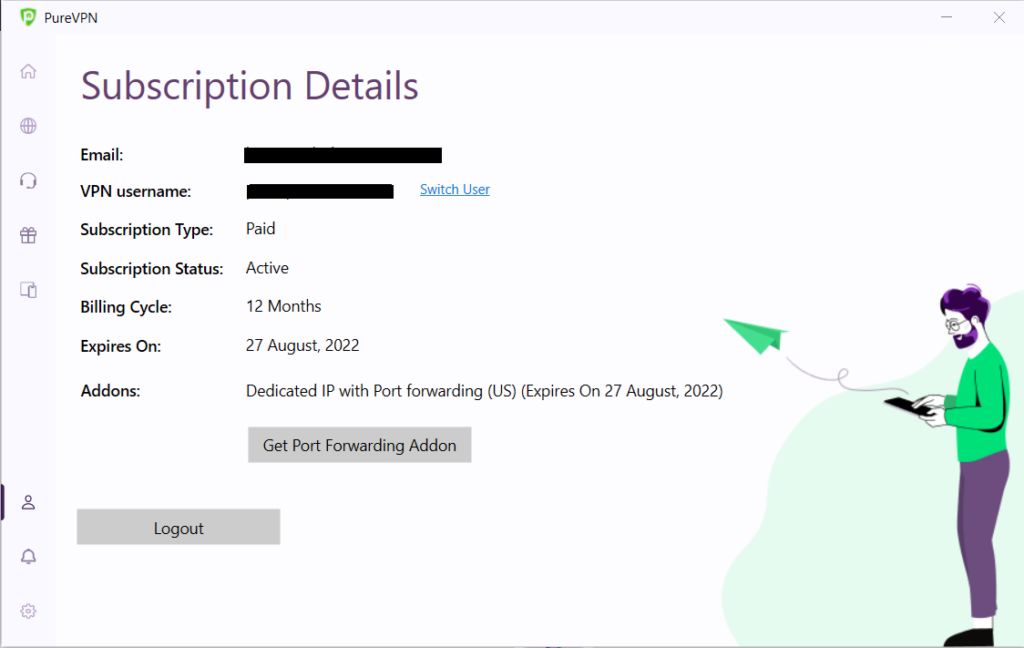
Purchase add-ons in-app for all desktop users
PureVPN users can now purchase the following add-ons from within the Windows and macOS apps:
- Port Forwarding: Speed up your downloads, remotely access your device when away from home, form a seamless connection with a gaming server, and more.
- Dedicated IP: Safely access business servers from a remote location, protect your Internet of Things (IoT) devices, avoid blacklists, and more.
- Dedicated IP with DDoS Protection: Keep your static IP address secure from large-scale Distributed Denial-of-Service (DDoS) attacks.
Switch servers while being connected
If you are connected to a server but still cannot access your desired website or service, you might have to change your IP address by connecting to another server. PureVPN now lets you switch servers without having to disconnect, making the process quicker and more convenient.
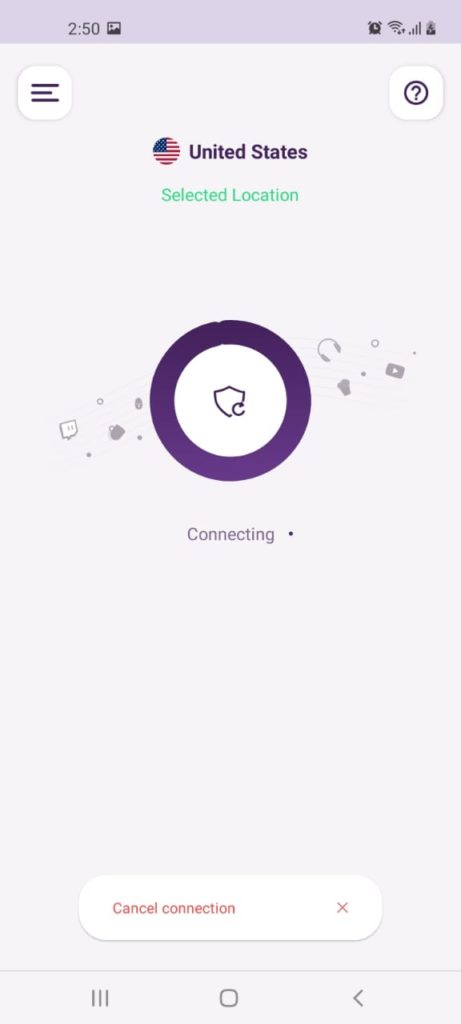
Let’s suppose that you are connected to a Dubai server and want to connect to a US server without disconnecting.
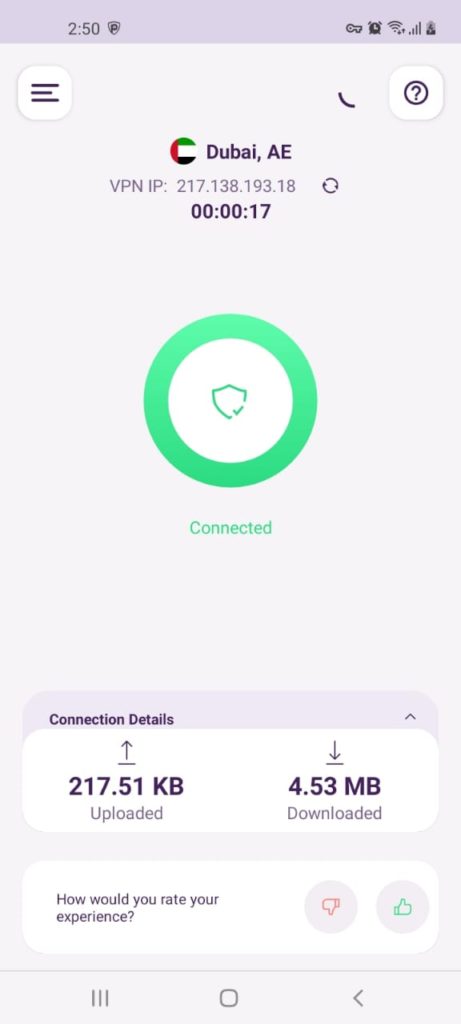
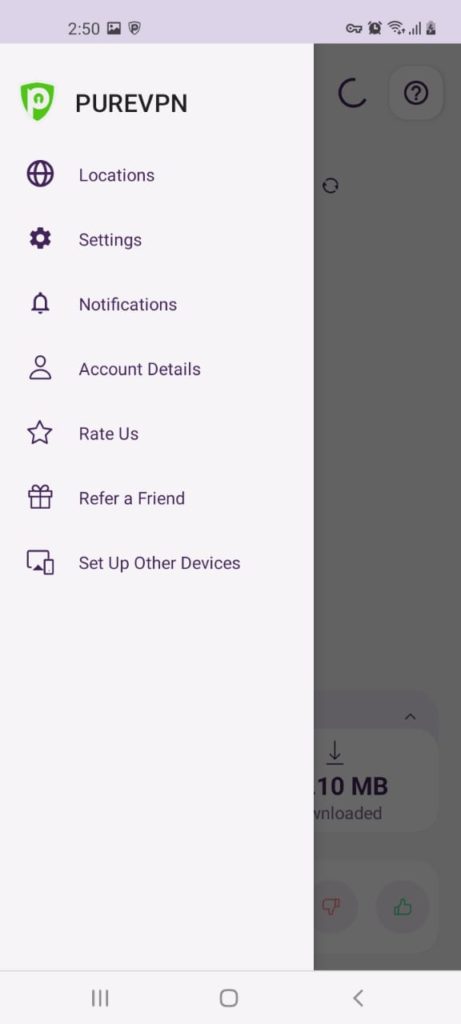
Simply tap the three dashes icon and choose Locations.
Select United States from the list of locations and hit the Yes button.
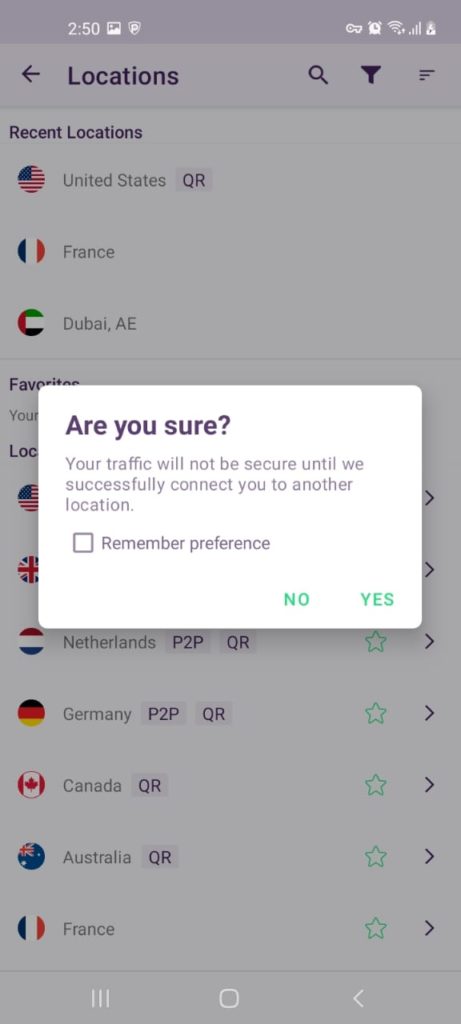
And that’s about it – PureVPN will now connect you to a US server!
Last connected will now be default server
Earlier, we used to recommend the server closest to your location. However, we realize that every user has their own preference and connect to specific servers for this.
To make things easier, PureVPN now shows the last connected server as the default server for immediate connection.
New to PureVPN? Check out our new Member Area
Onboarding new users is now easier than ever with our revamped and simplified user interface.
Our New Member area gets you up to speed. Discover how a VPN can help you make the most of your digital life. Discover tips, tricks and troubleshooting advice.
Make sure you update PureVPN on your preferred platform so you can take advantage of these new things today.

PureVPN

November 24, 2022

4 years ago


