
Major League Baseball is one of the oldest sports played worldwide. According to the set standard rules of 2022, there are almost 30 teams that play in this league.
Teams are divided into two sets, each with 15 teams. The first one is the National League, and the other American League people all over the world go crazy when the MLB is conducted.
Both the teams were formed in 1876. Since then, they have been considered two separate teams that cooperated together. However, in 2000, they signed the national agreement and started to work as a single unit under the commissioner of baseball.
Over the years, MLB has gained significant popularity, and players all over the world have come to participate in it. Its headquarters is in midtown Manhattan, and each year, professional baseball players are invited to be a part of the league.
Each team plays a number of rounds every season, and these baseball games are then broadcasted around the world on television, radio, the internet, and social media.
Moreover, this sports League is considered the second wealthiest professional sports league with a series of games. It is now available as an online platform in which players can easily watch it from the vicinity of their homes by using a FireStick.
If you are a fan of watching space ball games and circumstances do not allow you to attend the league in person, then a FireStick is the best option.
You might have a lot of trouble doing that as many streaming services use blocking technology that is not readily available to everyone; however, we’ve got you covered.
To stream MLB without any kind of hassle, go through the following steps, and you will be able to watch it without any restriction from any part of the world.
How to watch MLB on FireStick
Though many channels broadcast MLB worldwide to provide a quality experience to the viewers, live matches can also be enjoyed through a FireStick. For that, you need PureVPN to access all the broadcasting restrictions.
Using a reliable VPN such as a PureVPN will connect the viewer to a server available in a country that broadcasts the league. Following are some of the steps through which you can stream MLB on your FireStick without any restriction.
- Turn on your Fire TV Stick, then select Find, then Search.
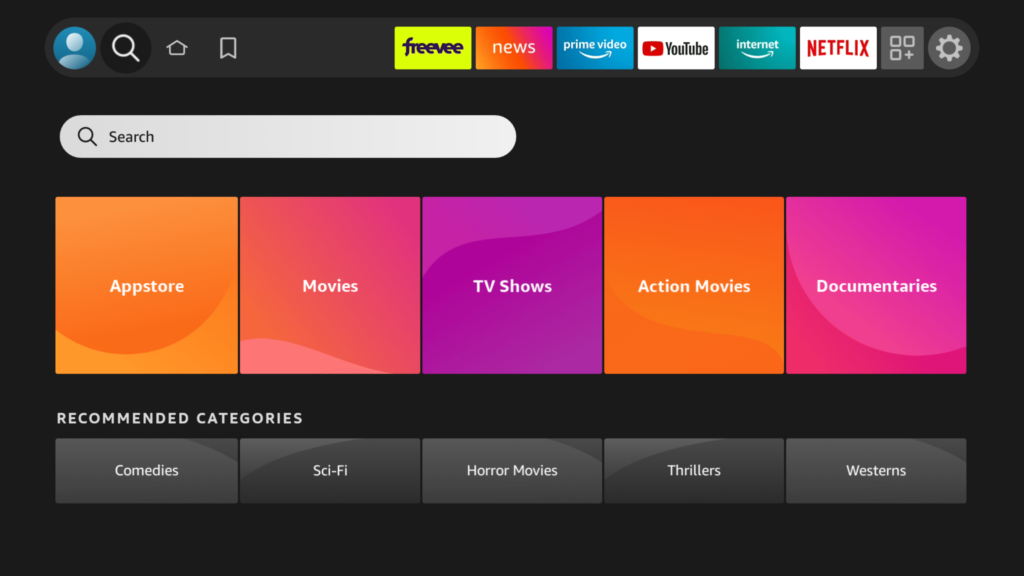
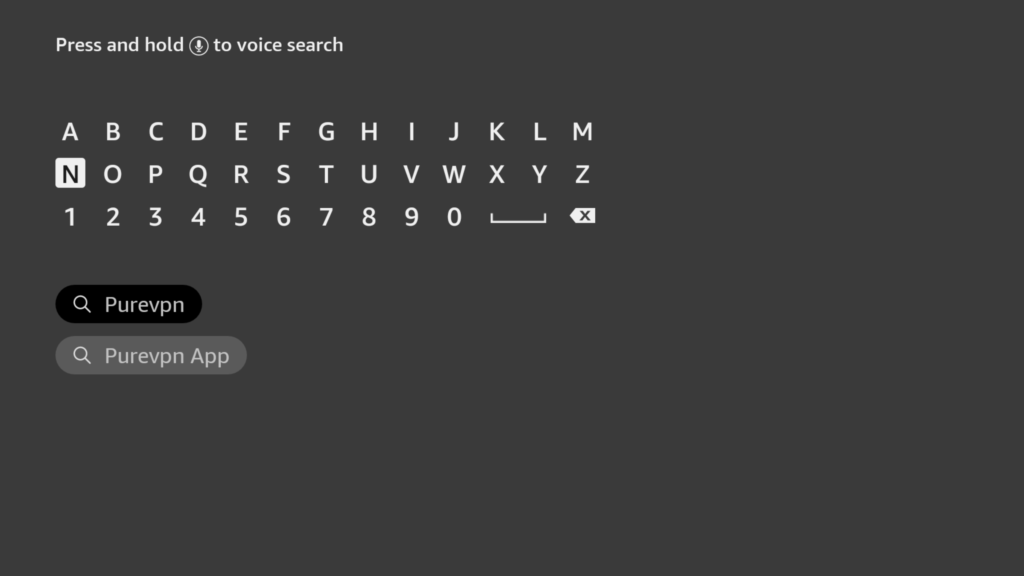
2. Enter PureVPN in the search field, and when PureVPN appears in the search results, click it.
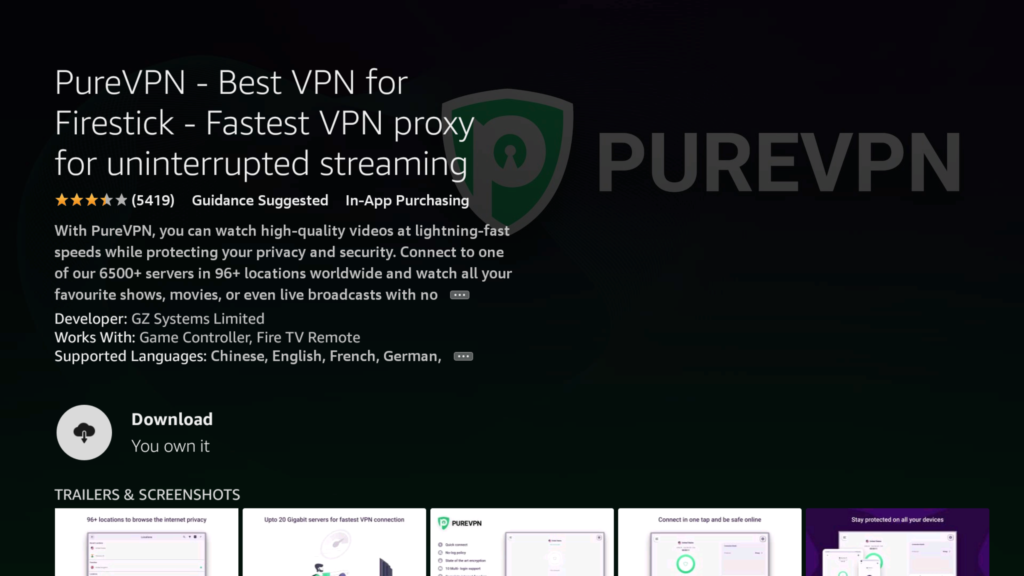
4. Click Download now to download the PureVPN app.
5. Once the installation is complete, connect it to any desired server where your preferred channels are available.
6. Make sure that you subscribe and log in to the app.
7. Use the credentials that you used when you purchased PureVPN.
8. Once you are signed in, you can enjoy streaming MLB on the firestick without interruption.
Watch MLB on FireStick using apps
Another convenient method to watch MLB on FireStick is through using apps that might also require changing the IP address of your location.
Following are some of the apps that you can download to watch the league.
- MLB. TV
It is one of the best and legal platforms to watch MLB. However, the viewers need to buy its subscription to stream. It has an amazing feature that allows the user to access DVR controls of the game, which they can watch later.
An alternative to access MLB TV is to use the Silk Browser in the top search of your fire stick. Once you find it download the app, and you need to select the payment method that best suits your needs.
- Sling TV
Another app that the viewers should consider is Sling. It is one of the most famous streaming platforms that have two different plans for its subscribers. It also requires the initial installation, and you might also need to install a quality VPN to access all its features.
- MLB.TV on Prime
Viewers can get an MLB.TV subscription through Amazon Prime. However, you will face a lot of restrictions, and for that, you will need a VPN to get through it.
If you already have access to Prime video channels, then there is no need to watch MLB on MLB.TV.
Frequently asked questions (FAQs)
How can I watch MLB through free apps on FireStick?
There are multiple free apps available through which the users can watch MLB on FireStick. However, their legal status is unverified.
Using them might give them free access, but in doing so, they might violate laws and regulations. They might also have some copyright liabilities. Kodi, Sports TV IPTV, and Live Net TV apps that allow free access.
Do both the premium and free methods require a VPN?
Since MLB is one of the greatest professional sports platforms streamed mainly in the United States and Canada, both the free and premium methods require a VPN to watch live sport on your FireStick. This applies especially if the user is a non-US or Canadian viewer.
Which internet browser supports MLB live using a FireStick?
Many internet browsers support live streaming of MLP, such as Microsoft Edge, Google Chrome, and Firefox.
Final Word
We believe that now using the method mentioned earlier, you can watch MLB on your FireStick without much trouble.
A word of advice is to make sure that you subscribe to a channel before broadcasting the league and use the recommended VPN, such as PureVPN, in case you reside in a country where MLB broadcasting isn’t available.

PureVPN

June 20, 2023

3 years ago


